Reviewing items that should be deleted at year’s end
Knowledge Base > Reviewing items that should be deleted at year’s end
From Create Lists, create a query of Items with the following status: Billed, Lost and Paid, Missing, Claimed Returned, and Discard which have been out of circulation for more than 3 years. Use this list to determine which items should be deleted from the catalog.
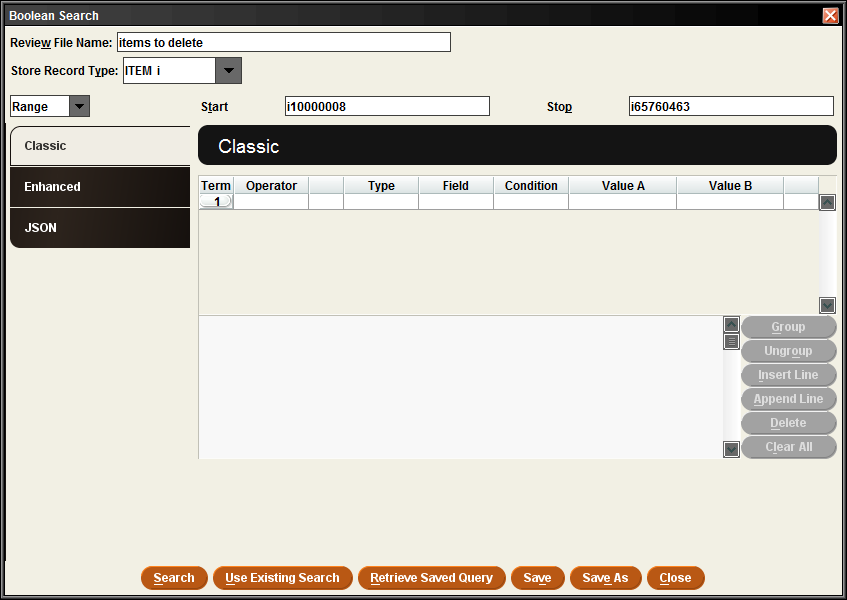
Find an empty Review File and click on the search Records button. The Query box will open. Set the Record Type to Item, since those are the types of records you are requesting.
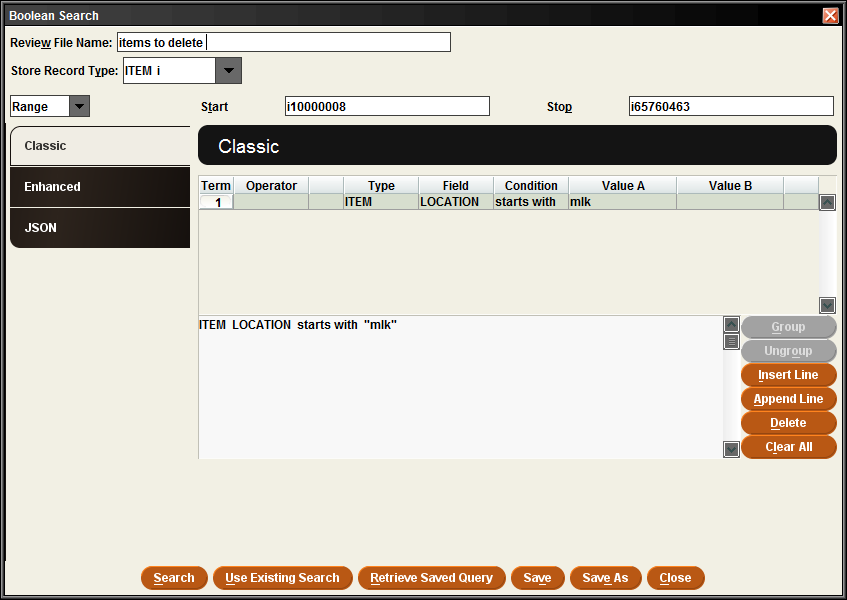
Leave Range set as the default start and stop numbers (to search the broadest set of records possible) and start to build your query. Limit to your library’s items by entering the first line of the query as ITEM | LOCATION | starts with | and enter the 3-letter code for your library in the Value A column. Once your library is set, click the Append Line button to add additional criteria to your query.
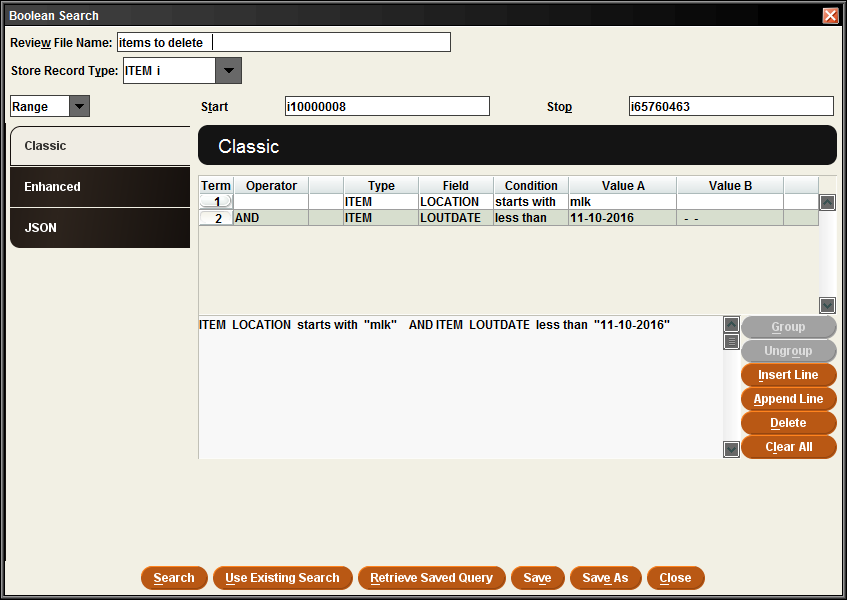
Set the second line to ITEM | LOUTDATE (this represents the Last Out Date in Sierra), and then set the Condition to Less than, and in Value A enter a date three years earlier than the current date.
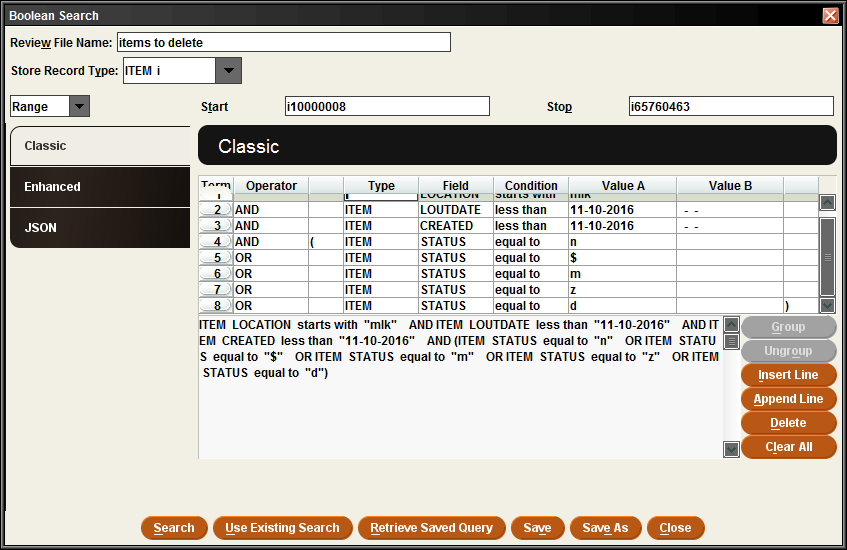
Along with the LOUTDATE, set the CREATED date as you have for the LOUTDATE. If an item is new and has never been checked out, it will have nothing listed in the LOUTDATE, which Sierra will interpret this empty field as being less than the LOUTDATE you entered. By including the CREATED date, it ensures that such new records will not be included in your results.
Append additional lines using the format ITEM | STATUS | equal to | and for value A select one of the statuses that you want to include (Billed, Lost and Paid, Missing, Claimed Returned, Discard). Repeat this format for the remaining status options, making sure to set the Operator field to OR for all subsequent lines.
Highlight all item status lines, and then click the Group button to combine them into one. The query window will show parentheses around all of the item status selections.
Click the Search button to generate the report.
Depending on the number of results, there are different ways to delete. If there are only a few records that need to be deleted, you may choose to delete the item records individually in Sierra. If there are many records to deleted, you may contact MHLS tech support (techsupport@midhudson.org) and request a batch deletion.